CT Train
The Hartford Line commute, reimagined. Live train positions, real-time delays, and a countdown to your next departure.
iPhone · iOS 26 or later
What it does
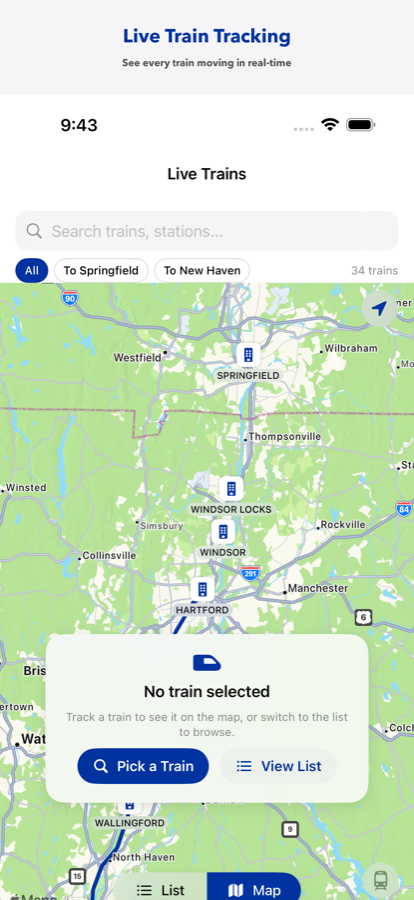
Live train map
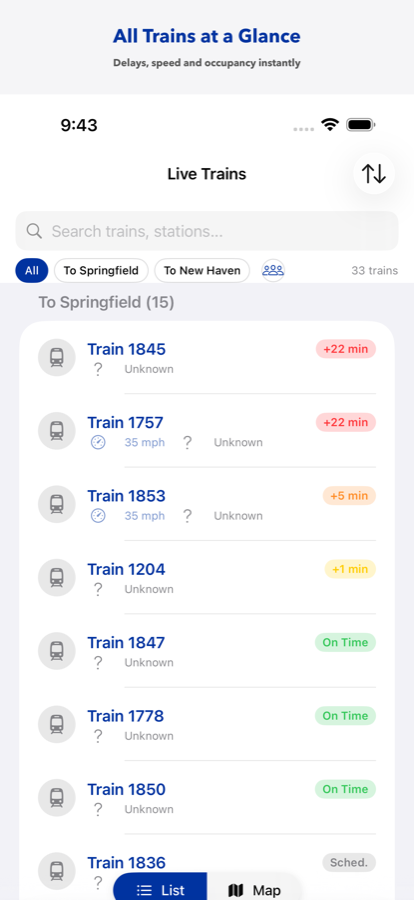
Every Hartford Line train moving in real time. Tap one for speed, delay status, and how crowded it is.
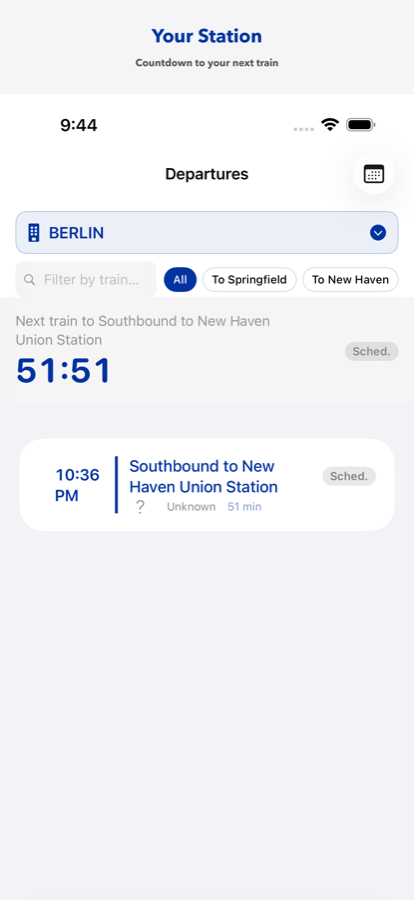
Departure board
Pick your station and see upcoming trains with delay badges, occupancy, and a countdown that ticks to the second.
On-device AI assistant
Ask in plain English — “When's the last train to New Haven?” Powered by Apple Foundation Models. Nothing leaves your phone.
Service alerts
Disruptions surface instantly, with verbose transit notices summarized into plain English.
Works offline
The full schedule is cached on device. No signal in the tunnel? You still see every departure time.
Widgets & Live Activities
Next departure on your Home Screen, and a live countdown on the Lock Screen and Dynamic Island.
Support
Questions, bugs, or feature requests: email dinerdapps@outlook.com. Include your iOS version and what you were doing when something went wrong — it makes fixes much faster.
Where does the train data come from?
Publicly available CTtransit GTFS and GTFS-Realtime feeds. Positions refresh every 15 seconds, delays every 30, alerts every 60.
Why is a train missing or in the wrong place?
The app shows exactly what CTtransit publishes. If a train isn't reporting its position, it won't appear on the map — but its scheduled departure still shows on the departure board.
How do I delete my account and data?
Settings → account section → Delete Account. This permanently removes your account and any feedback you submitted. See the Privacy Policy for details.
Does the AI assistant send my questions anywhere?
No. It runs entirely on-device through Apple Foundation Models.